

← All apps/ 02 — SEVER LIVE FXmacOS 13+ · APPLE SILICON · v0.4.1
SEVER LIVE FXSEVER
LIVE FX

Live video. Your effects.

SEVER LIVE FX

SEVER LIVE FX processes camera video in real time on macOS. Create visual effects, save presets and control them manually or on a concert timeline. A shared design with SEVER SHOW CONTROL brings both apps into a familiar working environment.

Version 0.4.1 · macOS 13+ · Apple Silicon · 2.3 MB

SEVER LIVE FX
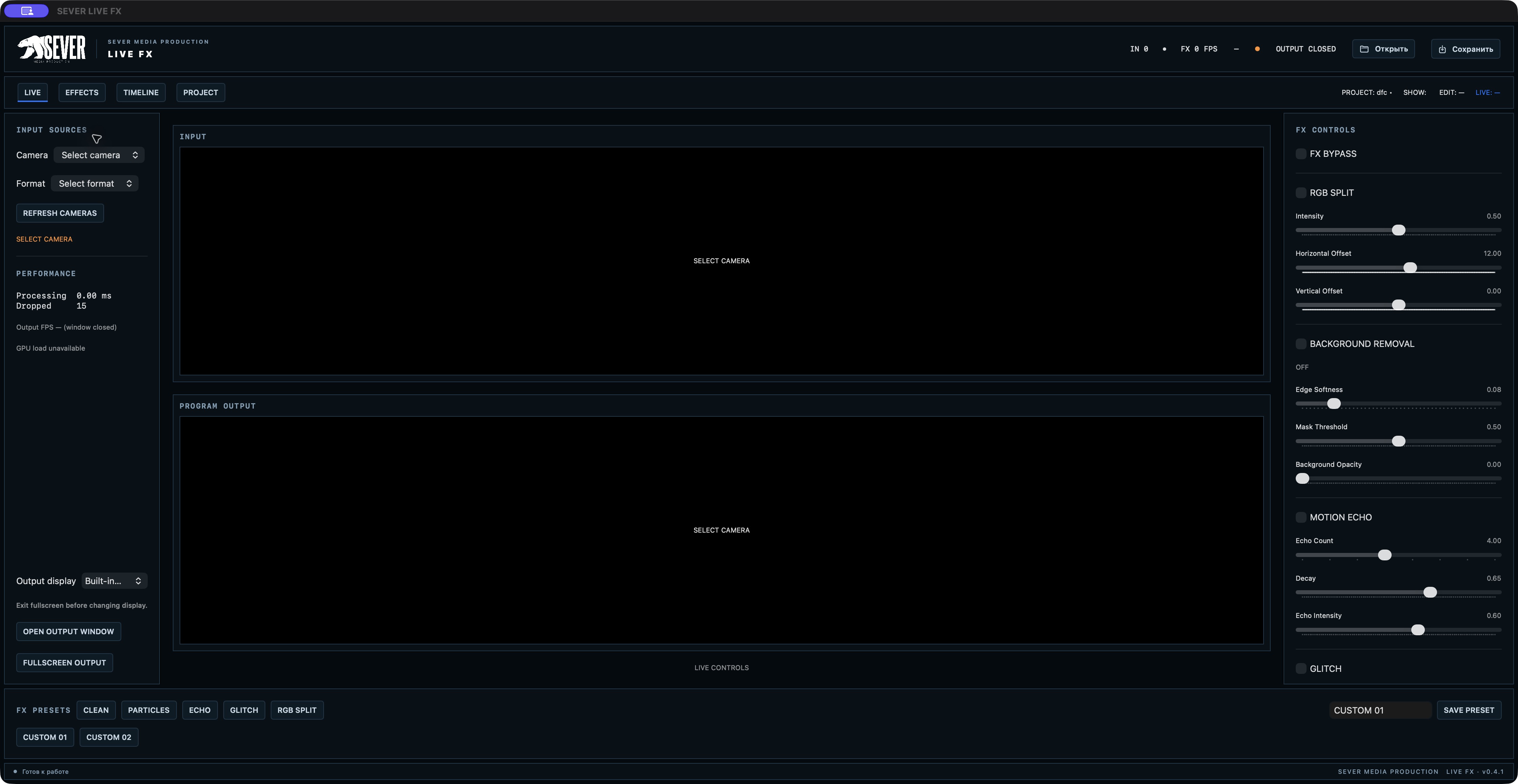
SEVER LIVE FX workspace · click to view full size

Shape your visuals in real time.

SEVER LIVE FX is a tool for live video effects at concerts, theatre performances, events and broadcasts. It receives video from a connected camera, processes it on the Apple Silicon GPU and outputs the result to a separate window or external display.

01
SEVER LIVE FX
Effect controls and presets

Real-time effects

Transform the image with RGB Split, digital glitch and motion trails. Remove the background, add particles and create glowing trails that respond to hand movement. Adjust parameters and combine effects to create your own visual style.
02
SEVER LIVE FX
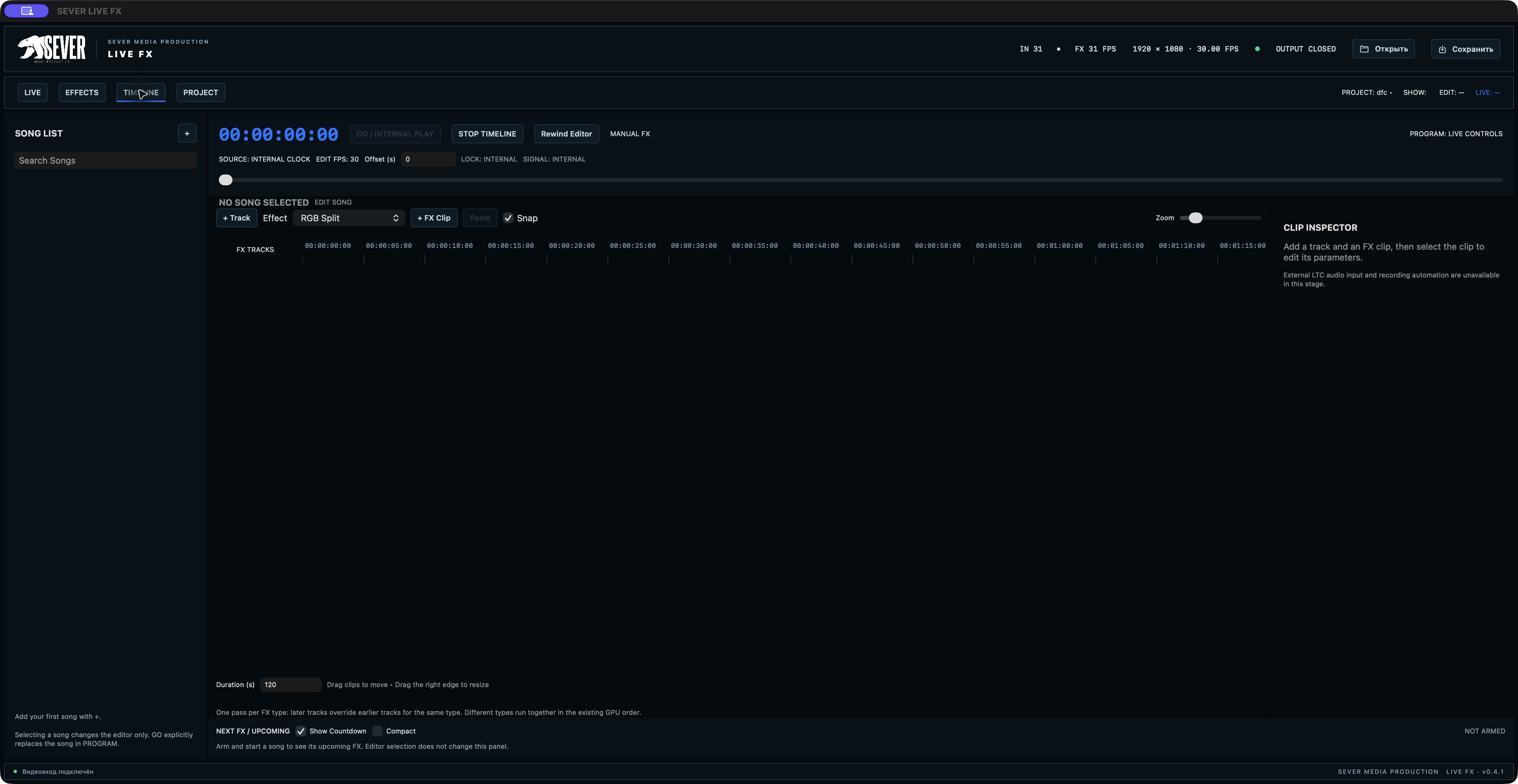
Timeline and concert programme

Manual control and timeline

Control effects during a performance or prepare their sequence in advance. Place FX clips on tracks, set durations, fades and parameter changes with keyframes. Internal timecode helps you precisely sequence events within the app.

03
SEVER LIVE FX
Timeline and concert programme

Organise your concert programme

Create projects with separate songs and independent timelines. Edit the next song while the current one remains on the programme output. A dedicated command takes it live, while advance effect warnings help you prepare for the next moment of the show.

04
SEVER LIVE FX
Effect controls and presets

Presets and project saving

Save useful settings as presets and recall them quickly. Projects store the concert structure, effect parameters, camera settings and output configuration. Autosave and recovery help you resume work after an unexpected shutdown.

05
SEVER LIVE FX
Effect controls and presets

A shared SEVER design

A dark interface, compact panels, blue accents and a clear timeline continue the visual language of SEVER SHOW CONTROL. Apps in the same family create a familiar environment for preparing and running events.

System requirements

macOS 13 or later. Mac with Apple Silicon.

External LTC input is not supported in the current version.

Download for macOS ↑All SEVER apps ↗